Ansible AWX, ese gran aliado para la automatización

En este post, os mostraré cómo instalar Ansible AWX.
Ansible AWX es la versión open source de Ansible Tower, una interfaz gráfica para manejar Ansible de forma cómoda y más amigable (lo dice uno qué viene de puppet y Foreman XD)
1) Requisitos del servidor
- CentOS 7
- 2GB de memoria
- 1 vCPU
- 20GB de espacio en disco
Verificamos la configuración SElinux y que esté en modo permisivo:
[root@localhost ~]# sestatus

SELinux status: enabled

SELinuxfs mount: /sys/fs/selinux

SELinux root directory: /etc/selinux

Loaded policy name: targeted

Current mode: permissive

Mode from config file: permissive

Policy MLS status: enabled

Policy deny_unknown status: allowed

Max kernel policy version: 28

[root@localhost ~]#
NOTA: Se puede modificar con el fichero /etc/selinux/config
Editamos el fichero de hosts /etc/hosts para que se resuelva a si mismo:
[root@localhost ~]# cat /etc/hosts

127.0.0.1 localhost localhost.localdomain localhost4 localhost4.localdomain4

::1 localhost localhost.localdomain localhost6 localhost6.localdomain6

192.168.1.150 ansible-awx
Habilitamos el firewall:
[root@localhost ~]# systemctl enable firewalld

[root@localhost ~]# systemctl start firewalld

[root@localhost ~]# firewall-cmd --add-service=http --permanent;firewall-cmd --add-service=http --permanent

success

success

[root@localhost ~]# systemctl restart firewalld
Habilitamos el repositorio EPEL para CentOS7:
[root@localhost ~]# yum install -y epel-release

Complementos cargados:fastestmirror

base | 3.6 kB 00:00:00

extras | 3.4 kB 00:00:00

updates | 3.4 kB 00:00:00

(1/4): base/7/x86_64/group_gz | 166 kB 00:00:00

(2/4): extras/7/x86_64/primary_db | 156 kB 00:00:00

(3/4): updates/7/x86_64/primary_db | 1.3 MB 00:00:00

(4/4): base/7/x86_64/primary_db | 6.0 MB 00:00:05

Determining fastest mirrors

* base: centos.uvigo.es

* extras: centos.uvigo.es

* updates: ftp.rediris.es

Resolviendo dependencias

--> Ejecutando prueba de transacción

---> Paquete epel-release.noarch 0:7-11 debe ser instalado

--> Resolución de dependencias finalizada

Dependencias resueltas

=====================================================================================================================================================================================

Package Arquitectura Versión Repositorio Tamaño

=====================================================================================================================================================================================

Instalando:

epel-release noarch 7-11 extras 15 k

Resumen de la transacción

=====================================================================================================================================================================================

Instalar 1 Paquete

Tamaño total de la descarga: 15 k

Tamaño instalado: 24 k

Downloading packages:

advertencia:/var/cache/yum/x86_64/7/extras/packages/epel-release-7-11.noarch.rpm: EncabezadoV3 RSA/SHA256 Signature, ID de clave f4a80eb5: NOKEY

No se ha instalado la llave pública de epel-release-7-11.noarch.rpm

epel-release-7-11.noarch.rpm | 15 kB 00:00:00

Obteniendo clave desde file:///etc/pki/rpm-gpg/RPM-GPG-KEY-CentOS-7

Importando llave GPG 0xF4A80EB5:

Usuarioid : "CentOS-7 Key (CentOS 7 Official Signing Key) <security@centos.org>"

Huella : 6341 ab27 53d7 8a78 a7c2 7bb1 24c6 a8a7 f4a8 0eb5

Paquete : centos-release-7-4.1708.el7.centos.x86_64 (@anaconda)

Desde : /etc/pki/rpm-gpg/RPM-GPG-KEY-CentOS-7

Running transaction check

Running transaction test

Transaction test succeeded

Running transaction

Instalando : epel-release-7-11.noarch 1/1

Comprobando : epel-release-7-11.noarch 1/1

Instalado:

epel-release.noarch 0:7-11

¡Listo!

[root@localhost ~]#
Necesitaremos posgresql para instalar AWX así que, habilitamos el repositorio:
[root@localhost ~]# yum install -y http://download.postgresql.org/pub/repos/yum/9.6/redhat/rhel-7-x86_64/pgdg-centos96-9.6-3.noarch.rpm

Complementos cargados:fastestmirror

pgdg-centos96-9.6-3.noarch.rpm | 4.7 kB 00:00:00

Examinando /var/tmp/yum-root-0SnzF2/pgdg-centos96-9.6-3.noarch.rpm: pgdg-centos96-9.6-3.noarch

Marcando /var/tmp/yum-root-0SnzF2/pgdg-centos96-9.6-3.noarch.rpm para ser instalado

Resolviendo dependencias

--> Ejecutando prueba de transacción

---> Paquete pgdg-centos96.noarch 0:9.6-3 debe ser instalado

--> Resolución de dependencias finalizada

Dependencias resueltas

=====================================================================================================================================================================================

Package Arquitectura Versión Repositorio Tamaño

=====================================================================================================================================================================================

Instalando:

pgdg-centos96 noarch 9.6-3 /pgdg-centos96-9.6-3.noarch 2.7 k

Resumen de la transacción

=====================================================================================================================================================================================

Instalar 1 Paquete

Tamaño total: 2.7 k

Tamaño instalado: 2.7 k

Downloading packages:

Running transaction check

Running transaction test

Transaction test succeeded

Running transaction

Instalando : pgdg-centos96-9.6-3.noarch 1/1

Comprobando : pgdg-centos96-9.6-3.noarch 1/1

Instalado:

pgdg-centos96.noarch 0:9.6-3

¡Listo!

[root@localhost ~]#
Instalamos posgreSQL:
[root@localhost ~]# yum install postgresql96-server -y

Complementos cargados:fastestmirror

epel/x86_64/metalink | 16 kB 00:00:00

epel | 4.7 kB 00:00:00

pgdg96 | 4.1 kB 00:00:00

(1/5): epel/x86_64/group_gz | 88 kB 00:00:00

epel/x86_64/updateinfo FAILED

http://mirror.uv.es/mirror/fedora-epel/7/x86_64/repodata/b62e792850fe8655cca05e6a7487b8d89320ee5518dea64da995a6f484581831-updateinfo.xml.bz2: [Errno 14] HTTP Error 404 - Not FoundA

Intentando con otro espejo.

To address this issue please refer to the below knowledge base article

http://access.redhat.com/articles/1320623

If above article doesn't help to resolve this issue please create a bug on http://bugs.centos.org/

(2/5): epel/x86_64/updateinfo | 950 kB 00:00:00

(3/5): pgdg96/7/x86_64/group_gz | 249 B 00:00:00

(4/5): pgdg96/7/x86_64/primary_db | 207 kB 00:00:00

(5/5): epel/x86_64/primary_db | 6.5 MB 00:00:01

Loading mirror speeds from cached hostfile

* base: centos.uvigo.es

* epel: mirrors.colocall.net

* extras: centos.uvigo.es

* updates: ftp.rediris.es

Resolviendo dependencias

--> Ejecutando prueba de transacción

---> Paquete postgresql96-server.x86_64 0:9.6.11-1PGDG.rhel7 debe ser instalado

--> Procesando dependencias: postgresql96-libs(x86-64) = 9.6.11-1PGDG.rhel7 para el paquete: postgresql96-server-9.6.11-1PGDG.rhel7.x86_64

--> Procesando dependencias: postgresql96(x86-64) = 9.6.11-1PGDG.rhel7 para el paquete: postgresql96-server-9.6.11-1PGDG.rhel7.x86_64

--> Procesando dependencias: libpq.so.5()(64bit) para el paquete: postgresql96-server-9.6.11-1PGDG.rhel7.x86_64

--> Ejecutando prueba de transacción

---> Paquete postgresql96.x86_64 0:9.6.11-1PGDG.rhel7 debe ser instalado

---> Paquete postgresql96-libs.x86_64 0:9.6.11-1PGDG.rhel7 debe ser instalado

--> Resolución de dependencias finalizada

Dependencias resueltas

=====================================================================================================================================================================================

Package Arquitectura Versión Repositorio Tamaño

=====================================================================================================================================================================================

Instalando:

postgresql96-server x86_64 9.6.11-1PGDG.rhel7 pgdg96 4.5 M

Instalando para las dependencias:

postgresql96 x86_64 9.6.11-1PGDG.rhel7 pgdg96 1.4 M

postgresql96-libs x86_64 9.6.11-1PGDG.rhel7 pgdg96 318 k

Resumen de la transacción

=====================================================================================================================================================================================

Instalar 1 Paquete (+2 Paquetes dependientes)

Tamaño total de la descarga: 6.3 M

Tamaño instalado: 28 M

Downloading packages:

(1/3): postgresql96-9.6.11-1PGDG.rhel7.x86_64.rpm | 1.4 MB 00:00:01

(2/3): postgresql96-libs-9.6.11-1PGDG.rhel7.x86_64.rpm | 318 kB 00:00:01

(3/3): postgresql96-server-9.6.11-1PGDG.rhel7.x86_64.rpm | 4.5 MB 00:00:00

-------------------------------------------------------------------------------------------------------------------------------------------------------------------------------------

Total 3.6 MB/s | 6.3 MB 00:00:01

Running transaction check

Running transaction test

Transaction test succeeded

Running transaction

Instalando : postgresql96-libs-9.6.11-1PGDG.rhel7.x86_64 1/3

Instalando : postgresql96-9.6.11-1PGDG.rhel7.x86_64 2/3

Instalando : postgresql96-server-9.6.11-1PGDG.rhel7.x86_64 3/3

Comprobando : postgresql96-libs-9.6.11-1PGDG.rhel7.x86_64 1/3

Comprobando : postgresql96-server-9.6.11-1PGDG.rhel7.x86_64 2/3

Comprobando : postgresql96-9.6.11-1PGDG.rhel7.x86_64 3/3

Instalado:

postgresql96-server.x86_64 0:9.6.11-1PGDG.rhel7

Dependencia(s) instalada(s):

postgresql96.x86_64 0:9.6.11-1PGDG.rhel7 postgresql96-libs.x86_64 0:9.6.11-1PGDG.rhel7

¡Listo!
Instalamos el resto de paquetería necesaria (nginx, ansible, wget…)
[root@localhost ~]# yum install -y rabbitmq-server wget memcached nginx ansible
2) Instalación Ansible AWX
Añadimos el repositorio:
[root@localhost ~]# wget -O /etc/yum.repos.d/awx-rpm.repo http://copr.fedorainfracloud.org/coprs/mrmeee/awx/repo/epel-7/mrmeee-awx-epel-7.repo

--2019-01-11 12:04:34-- http://copr.fedorainfracloud.org/coprs/mrmeee/awx/repo/epel-7/mrmeee-awx-epel-7.repo

Resolviendo copr.fedorainfracloud.org (copr.fedorainfracloud.org)... 209.132.184.54

Conectando con copr.fedorainfracloud.org (copr.fedorainfracloud.org)[209.132.184.54]:443... conectado.

Petición HTTP enviada, esperando respuesta... 200 OK

Longitud: 306 [text/plain]

Grabando a: “/etc/yum.repos.d/awx-rpm.repo”

100%[===========================================================================================================================================>] 306 --.-K/s en 0s

2019-01-11 12:04:39 (96,0 MB/s) - “/etc/yum.repos.d/awx-rpm.repo” guardado [306/306]

[root@localhost ~]#
Instalamos con yum:
[root@localhost ~]# yum install -y awx

Inicializamos la BBDD:

[root@localhost ~]# /usr/pgsql-9.6/bin/postgresql96-setup initdb

Initializing database ... OK

[root@localhost ~]#

Inicializamos el servicio de mensajeria Rabbitmq:

[root@localhost ~]# systemctl start rabbitmq-server

[root@localhost ~]# systemctl enable rabbitmq-server

Created symlink from /etc/systemd/system/multi-user.target.wants/rabbitmq-server.service to /usr/lib/systemd/system/rabbitmq-server.service.

[root@localhost ~]#
Arrancamos el servicio PosgreSQL:
[root@localhost ~]# systemctl enable postgresql-9.6

Created symlink from /etc/systemd/system/multi-user.target.wants/postgresql-9.6.service to /usr/lib/systemd/system/postgresql-9.6.service.

[root@localhost ~]# systemctl start postgresql-9.6
Arrancamos el servicio memcached:
[root@localhost ~]# systemctl enable memcached

Created symlink from /etc/systemd/system/multi-user.target.wants/memcached.service to /usr/lib/systemd/system/memcached.service.

[root@localhost ~]# systemctl start memcached
Creamos el usuario para la BBDD (ignoramos el error):
[root@localhost ~]# sudo -u postgres createuser -S awx

could not change directory to "/root": Permiso denegado
Creamos la BBDD (ignoramos también el error):
[root@localhost ~]# sudo -u postgres createdb -O awx awx

could not change directory to "/root": Permiso denegado
Importamos los datos en la BBDD:
[root@localhost ~]# sudo -u awx /opt/awx/bin/awx-manage migrate

Operations to perform:

Apply all migrations: auth, conf, contenttypes, main, oauth2_provider, sessions, sites, social_django, sso, taggit

Running migrations:

Applying contenttypes.0001_initial... OK

Applying taggit.0001_initial... OK

Applying taggit.0002_auto_20150616_2121... OK

Applying contenttypes.0002_remove_content_type_name... OK

Applying auth.0001_initial... OK

Applying main.0001_initial... OK

Applying main.0002_squashed_v300_release... OK

Applying main.0003_squashed_v300_v303_updates... OK

Applying main.0004_squashed_v310_release... OK

Applying conf.0001_initial... OK

Applying conf.0002_v310_copy_tower_settings... OK

Applying main.0005_squashed_v310_v313_updates... OK

Applying main.0006_v320_release... OK

Applying main.0007_v320_data_migrations...2019-01-11 11:12:12,521 DEBUG awx.main.migrations Removing all Rackspace InventorySource from database.

2019-01-11 11:12:12,840 DEBUG awx.main.migrations Removing all Azure Credentials from database.

2019-01-11 11:12:13,015 DEBUG awx.main.migrations Removing all Azure InventorySource from database.

2019-01-11 11:12:13,187 DEBUG awx.main.migrations Removing all InventorySource that have no link to an Inventory from database.

2019-01-11 11:12:13,919 DEBUG awx.main.models.credential adding Machine credential type

2019-01-11 11:12:13,922 DEBUG awx.main.models.credential adding Source Control credential type

2019-01-11 11:12:13,925 DEBUG awx.main.models.credential adding Vault credential type

2019-01-11 11:12:13,927 DEBUG awx.main.models.credential adding Network credential type

2019-01-11 11:12:13,929 DEBUG awx.main.models.credential adding Amazon Web Services credential type

2019-01-11 11:12:13,932 DEBUG awx.main.models.credential adding OpenStack credential type

2019-01-11 11:12:13,934 DEBUG awx.main.models.credential adding VMware vCenter credential type

2019-01-11 11:12:13,937 DEBUG awx.main.models.credential adding Red Hat Satellite 6 credential type

2019-01-11 11:12:13,939 DEBUG awx.main.models.credential adding Red Hat CloudForms credential type

2019-01-11 11:12:13,942 DEBUG awx.main.models.credential adding Google Compute Engine credential type

2019-01-11 11:12:13,944 DEBUG awx.main.models.credential adding Microsoft Azure Resource Manager credential type

2019-01-11 11:12:13,946 DEBUG awx.main.models.credential adding Insights credential type

2019-01-11 11:12:13,949 DEBUG awx.main.models.credential adding Red Hat Virtualization credential type

2019-01-11 11:12:13,951 DEBUG awx.main.models.credential adding Ansible Tower credential type

OK

Applying main.0008_v320_drop_v1_credential_fields... OK

Applying main.0009_v322_add_setting_field_for_activity_stream... OK

Applying main.0010_v322_add_ovirt4_tower_inventory... OK

Applying main.0011_v322_encrypt_survey_passwords... OK

Applying main.0012_v322_update_cred_types... OK

Applying main.0013_v330_multi_credential... OK

Applying auth.0002_alter_permission_name_max_length... OK

Applying auth.0003_alter_user_email_max_length... OK

Applying auth.0004_alter_user_username_opts... OK

Applying auth.0005_alter_user_last_login_null... OK

Applying auth.0006_require_contenttypes_0002... OK

Applying auth.0007_alter_validators_add_error_messages... OK

Applying auth.0008_alter_user_username_max_length... OK

Applying conf.0003_v310_JSONField_changes... OK

Applying conf.0004_v320_reencrypt... OK

Applying conf.0005_v330_rename_two_session_settings... OK

Applying conf.0006_v331_ldap_group_type... OK

Applying sessions.0001_initial... OK

Applying main.0014_v330_saved_launchtime_configs... OK

Applying main.0015_v330_blank_start_args... OK

Applying main.0016_v330_non_blank_workflow... OK

Applying main.0017_v330_move_deprecated_stdout... OK

Applying main.0018_v330_add_additional_stdout_events... OK

Applying main.0019_v330_custom_virtualenv... OK

Applying main.0020_v330_instancegroup_policies... OK

Applying main.0021_v330_declare_new_rbac_roles... OK

Applying main.0022_v330_create_new_rbac_roles... OK

Applying main.0023_v330_inventory_multicred... OK

Applying main.0024_v330_create_user_session_membership... OK

Applying main.0025_v330_add_oauth_activity_stream_registrar... OK

Applying oauth2_provider.0001_initial... OK

Applying main.0026_v330_delete_authtoken... OK

Applying main.0027_v330_emitted_events... OK

Applying main.0028_v330_add_tower_verify... OK

Applying main.0030_v330_modify_application... OK

Applying main.0031_v330_encrypt_oauth2_secret... OK

Applying main.0032_v330_polymorphic_delete... OK

Applying main.0033_v330_oauth_help_text... OK

Applying main.0034_v330_delete_user_role...2019-01-11 11:12:45,224 INFO rbac_migrations Computing role roots..

2019-01-11 11:12:45,225 INFO rbac_migrations Found 0 roots in 0.000160 seconds, rebuilding ancestry map

2019-01-11 11:12:45,225 INFO rbac_migrations Rebuild completed in 0.000004 seconds

2019-01-11 11:12:45,225 INFO rbac_migrations Done.

OK

Applying main.0035_v330_more_oauth2_help_text... OK

Applying main.0036_v330_credtype_remove_become_methods... OK

Applying main.0037_v330_remove_legacy_fact_cleanup... OK

Applying main.0038_v330_add_deleted_activitystream_actor... OK

Applying main.0039_v330_custom_venv_help_text... OK

Applying main.0040_v330_unifiedjob_controller_node... OK

Applying main.0041_v330_update_oauth_refreshtoken... OK

Applying main.0042_v330_org_member_role_deparent...2019-01-11 11:12:48,635 INFO rbac_migrations Computing role roots..

2019-01-11 11:12:48,636 INFO rbac_migrations Found 0 roots in 0.000145 seconds, rebuilding ancestry map

2019-01-11 11:12:48,636 INFO rbac_migrations Rebuild completed in 0.000005 seconds

2019-01-11 11:12:48,636 INFO rbac_migrations Done.

OK

Applying main.0043_v330_oauth2accesstoken_modified... OK

Applying main.0044_v330_add_inventory_update_inventory... OK

Applying main.0045_v330_instance_managed_by_policy... OK

Applying main.0046_v330_remove_client_credentials_grant... OK

Applying main.0047_v330_activitystream_instance... OK

Applying main.0048_v330_django_created_modified_by_model_name... OK

Applying main.0049_v330_validate_instance_capacity_adjustment... OK

Applying main.0050_v340_drop_celery_tables... OK

Applying main.0051_v340_job_slicing... OK

Applying main.0052_v340_remove_project_scm_delete_on_next_update... OK

Applying main.0053_v340_workflow_inventory... OK

Applying main.0054_v340_workflow_convergence... OK

Applying oauth2_provider.0002_08_updates... OK

Applying oauth2_provider.0003_auto_20160316_1503... OK

Applying oauth2_provider.0004_auto_20160525_1623... OK

Applying oauth2_provider.0005_auto_20170514_1141... OK

Applying oauth2_provider.0006_auto_20171214_2232... OK

Applying sites.0001_initial... OK

Applying sites.0002_alter_domain_unique... OK

Applying social_django.0001_initial... OK

Applying social_django.0002_add_related_name... OK

Applying social_django.0003_alter_email_max_length... OK

Applying social_django.0004_auto_20160423_0400... OK

Applying social_django.0005_auto_20160727_2333... OK

Applying social_django.0006_partial... OK

Applying social_django.0007_code_timestamp... OK

Applying social_django.0008_partial_timestamp... OK

Applying sso.0001_initial... OK

Applying sso.0002_expand_provider_options... OK

[root@localhost ~]#
Inicializamos la configuración de AWX:
[root@localhost ~]# echo "from django.contrib.auth.models import User; User.objects.create_superuser('admin', 'root@localhost', 'password')" | sudo -u awx /opt/awx/bin/awx-manage shell

[root@localhost ~]# sudo -u awx /opt/awx/bin/awx-manage create_preload_data

Default organization added.

Demo Credential, Inventory, and Job Template added.

(changed: True)

[root@localhost ~]# sudo -u awx /opt/awx/bin/awx-manage provision_instance --hostname=$(hostname)

Successfully registered instance localhost.localdomain

(changed: True)

2019-01-11 11:14:43,068 DEBUG awx.main.dispatch publish awx.main.tasks.apply_cluster_membership_policies(047f737a-4f3e-48c6-9b90-7e9cf40fc4bf, queue=awx_private_queue)

[root@localhost ~]# sudo -u awx /opt/awx/bin/awx-manage register_queue --queuename=tower --hostnames=$(hostname)

2019-01-11 11:15:13,889 DEBUG awx.main.dispatch publish awx.main.tasks.apply_cluster_membership_policies(f994f4f4-73b3-458f-8d74-d25ec77fb7af, queue=awx_private_queue)

Creating instance group tower

2019-01-11 11:15:13,917 DEBUG awx.main.dispatch publish awx.main.tasks.apply_cluster_membership_policies(55edd072-140a-4bff-972b-d11c69b27c81, queue=awx_private_queue)

Added instance localhost.localdomain to tower

(changed: True)

[root@localhost ~]#
3) Configuración NGINX
Inicialmente hacemos un backup de la actual config:
[root@localhost ~]# cd /etc/nginx/

[root@localhost nginx]# pwd

/etc/nginx

[root@localhost nginx]# cp nginx.conf nginx.conf.bkp

[root@localhost nginx]#
Nos descargamos el nuevo fichero de configuración:
[root@localhost nginx]# wget -O /etc/nginx/nginx.conf http://raw.githubusercontent.com/sunilsankar/awx-build/master/nginx.conf

--2019-01-11 12:17:13-- http://raw.githubusercontent.com/sunilsankar/awx-build/master/nginx.conf

Resolviendo raw.githubusercontent.com (raw.githubusercontent.com)... 151.101.120.133

Conectando con raw.githubusercontent.com (raw.githubusercontent.com)[151.101.120.133]:443... conectado.

Petición HTTP enviada, esperando respuesta... 200 OK

Longitud: 2621 (2,6K) [text/plain]

Grabando a: “/etc/nginx/nginx.conf”

100%[===========================================================================================================================================>] 2.621 --.-K/s en 0s

2019-01-11 12:17:14 (25,4 MB/s) - “/etc/nginx/nginx.conf” guardado [2621/2621]

[root@localhost nginx]#
Habilitamos y arrancamos el servicio NGINX:
[root@localhost nginx]# systemctl start nginx

[root@localhost nginx]# systemctl enable nginx

Created symlink from /etc/systemd/system/multi-user.target.wants/nginx.service to /usr/lib/systemd/system/nginx.service.

[root@localhost nginx]#
Arrancamos los servicios AWX:
[root@localhost nginx]# systemctl start awx-cbreceiver

[root@localhost nginx]# systemctl start awx-channels-worker

[root@localhost nginx]# systemctl start awx-daphne

[root@localhost nginx]# systemctl start awx-web
Habilitamos los servicio para que arranquen automáticamente:
[root@localhost nginx]# systemctl enable awx-cbreceiver

Created symlink from /etc/systemd/system/multi-user.target.wants/awx-cbreceiver.service to /usr/lib/systemd/system/awx-cbreceiver.service.

[root@localhost nginx]# systemctl enable awx-channels-worker

Created symlink from /etc/systemd/system/multi-user.target.wants/awx-channels-worker.service to /usr/lib/systemd/system/awx-channels-worker.service.

[root@localhost nginx]# systemctl enable awx-daphne

Created symlink from /etc/systemd/system/multi-user.target.wants/awx-daphne.service to /usr/lib/systemd/system/awx-daphne.service.

[root@localhost nginx]# systemctl enable awx-web

Created symlink from /etc/systemd/system/multi-user.target.wants/awx-web.service to /usr/lib/systemd/system/awx-web.service.

[root@localhost nginx]#
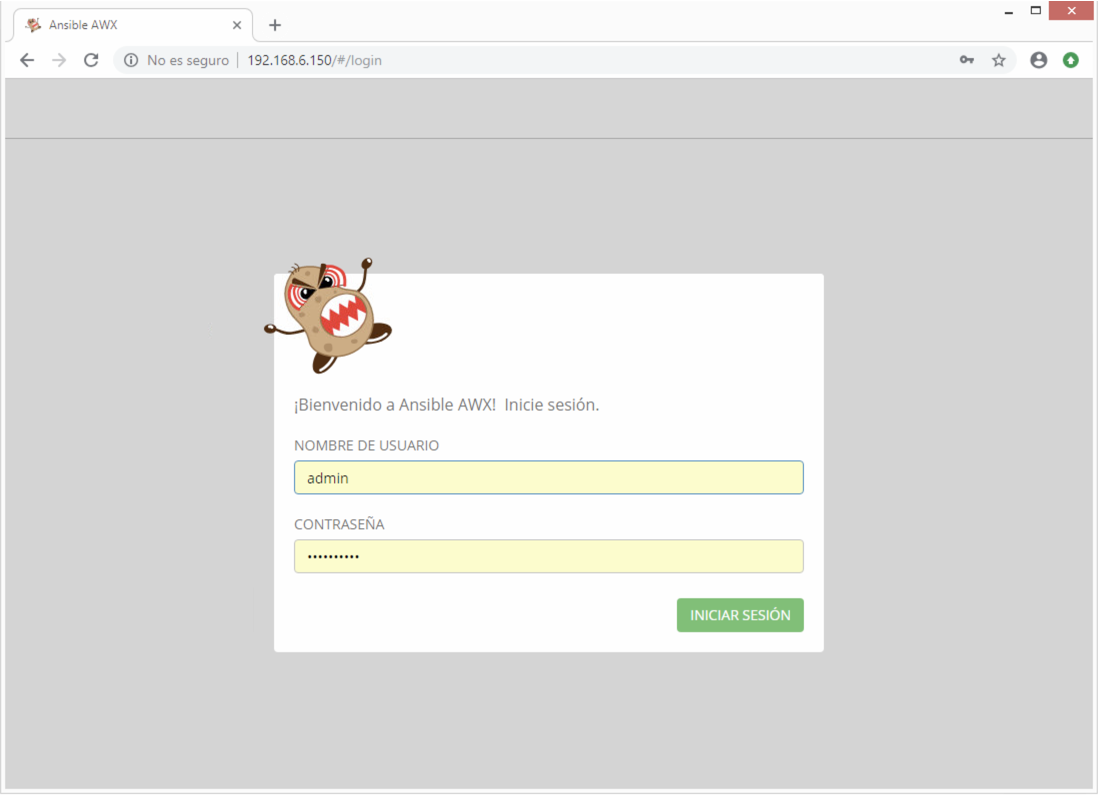
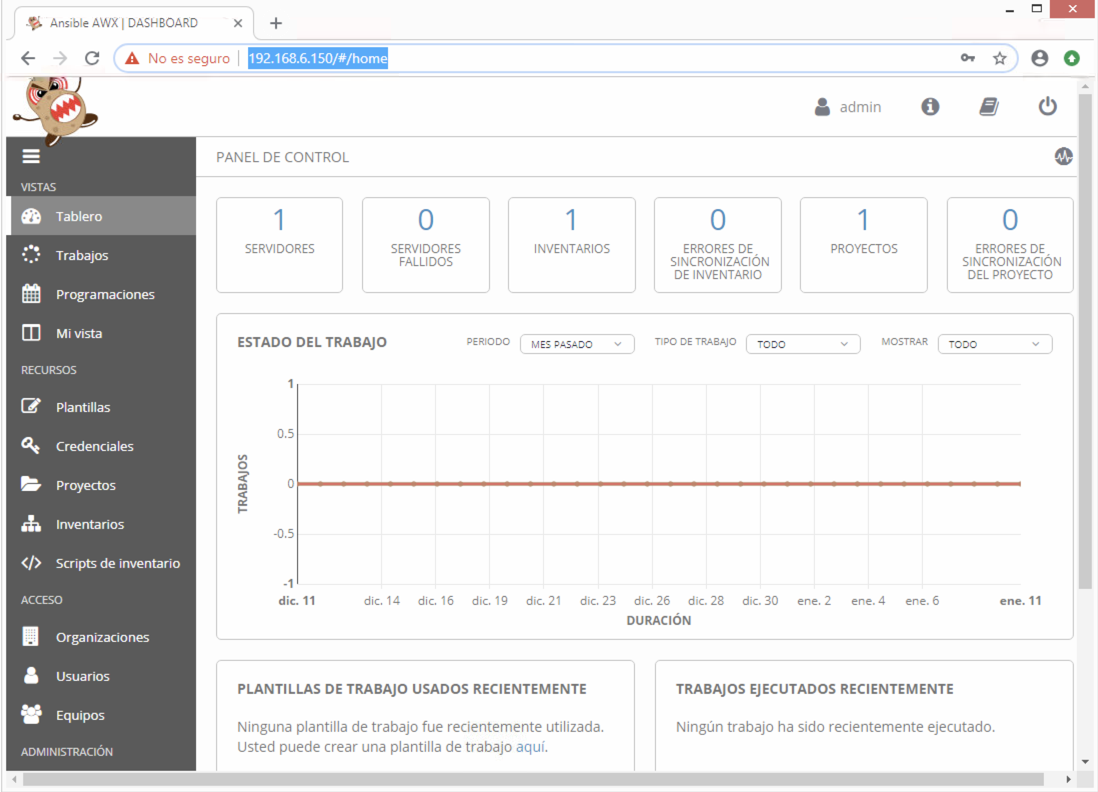
4) Acceso al portal
Se accede al portal a través de un navegador web:
http://ip_or_fqdn/#/login
Usuario: admin Pass:password